Response at a glance
Booking status
bookingStatus is the first thing to check. It uses the same vocabulary as Get Booking, so the voucher and the booking endpoints never disagree:
PENDING— payment captured and confirmed with the supplierCOMPLETED— booking fulfilledCANCELLED— booking cancelled
ticketSection is present rather than gating on the status.
A booking that was never captured has no voucher at all: UNCAPTURED and CAPTURE_TIMEDOUT bookings return 404 rather than a payload, and there is nothing to retry.
voucherTemplate tells you which layout to render the voucher in — SINGLE_PAGE for a single screen, MULTI_PAGE for a longer multi-section layout.
Header
Show
displayBookingId as the booking reference on the voucher. Should it ever be absent, display voucherId in its place, so the guest always sees a reference.
vendorLogoUrl is null when the vendor does not want their logo on the voucher — render it without a logo in that case, rather than substituting your own or a placeholder.
See it on a voucher
See it on a voucher
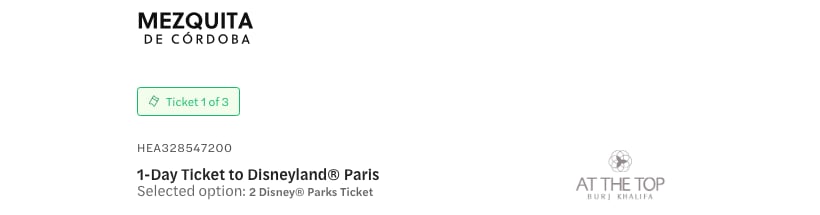
The same fields on the Headout voucher
displayBookingId is the reference above the title, product.name the title itself, variant.name the “Selected option” line, and vendorLogoUrl the logo on the right.Callouts
title as a heading and htmlDescription as its body — the HTML is pre-sanitized and can be rendered directly.
The array is returned empty when a booking has no callouts.
Booking details
bookingDetails carries the guests, schedule, seats, and pickup for the booking. It may be null. When present, it contains the sections below.
Guests
customerName holds the primary guest’s name as entered at checkout.
paxSummary gives a ready-to-render summary plus one details entry per pax type. The whole object may be null when no guest breakdown is available for the booking.
guestFields holds per-guest form data collected at checkout — guestNumber (1-indexed) plus optional name, email, phone, and customFields for experience-specific questions such as dietary preference or t-shirt size. It is null for experiences that do not collect per-guest data, and individual fields within an entry may still be null.
Schedule
openDated and inventoryType are always present. The date and time fields are conditional:
All date-times are local to the experience, with no timezone offset.
inventoryType tells you how the schedule is structured — see Inventory types.
Seats
seats is null for non-seatmap bookings. When present it has a ready-to-render summary plus a details array broken down by section, then by seat.
Tour properties
type naming the option and a values[] array holding the selection. The language property appears first when present. null when the booking has no properties.
Pickup and drop-off
null when the booking has no pickup — which is most bookings, since a pickup is only collected for transfers and door-to-door experiences.
A meeting point is not returned here. Meeting points belong to the experience rather than the booking, and appear under instructions instead.
For a transfer,
pickupDropOffType tells you what the booking covers:
PICKUP— pickup only, no drop-off.dropoffis null.PICKUP_AND_DROPOFF— both, at different places.dropoffcarries the drop-off.PICKUP_SAME_AS_DROPOFF— the guest is returned to the pickup point.
dropoff mirrors the pickup fields — address, directionsUrl, coordinates and importantNotes — so you can render it with the same component.
Instructions
instructions is null when the experience has no redemption instructions. When present, exactly one of legacy or structured is non-null — never both.
Legacy instructions
legacy is returned for experiences whose instructions are still authored by the operator as free-form HTML. It pairs that content with the meeting point it describes:
htmlContent is an HTML fragment, not a full document — headings, paragraphs, and lists with no wrapper element. Insert it into a container you control so it inherits your own typography; an iframe is not needed. It may include <h3> section headings, so style those to match your voucher.
See it on a voucher
See it on a voucher
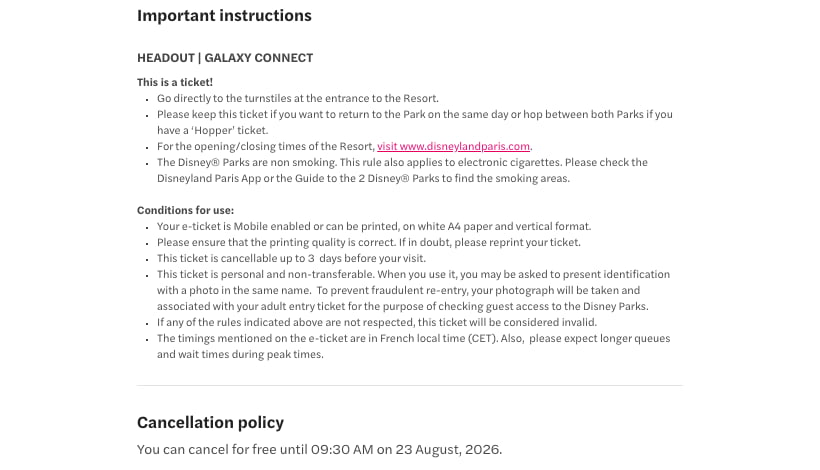
htmlContent, rendered

location, rendered
legacy object produces both blocks. htmlContent becomes the instructions and the cancellation policy — the trailing <h3>Policies</h3> is what splits them, which is why the fragment needs your heading styles. location.address becomes the location line and directionsUrl the “Directions” link.Structured instructions
structured has four sections, any of which can be null:
The
title on each section is a heading you can render as-is.
General instructions
hasLateArrivalPolicy— when true, latecomers may be refused entry and are not eligible for a refund.photoIdRequired— when true, guests must bring a valid government-issued photo ID.
reportingTimes[] is a ready-to-render arrival prompt with a label and a fully formatted value sentence. It is null when no reporting time is configured.
Additional information and policies
additionalInfo.htmlContent is pre-sanitized HTML.
policies is a list with one entry per policy, each carrying a type and an HTML value. Today the only type is BOOKING_AMENDMENT, covering whether and until when the booking can be cancelled or rescheduled. Entries have no title of their own — render each under a heading you supply.
Location
Every field on an address is nullable except
badgeLabel:
Address group shapes
addressGroups arrives ready to render, with each address carrying its own badgeLabel. Its shape depends on addressSequenceType:
SINGLE_ADDRESS — independent options
SINGLE_ADDRESS — independent options
All addresses are returned in a single flat group. The customer can choose any one of them — they are not sequential steps.Badge labels:
"Option 1", "Option 2", …ALL_ADDRESS_ANY_ORDER — multiple addresses, any order
ALL_ADDRESS_ANY_ORDER — multiple addresses, any order
All addresses are returned in a single flat group. Every address is relevant, but they can be visited in any order.Badge labels:
"Location 1", "Location 2", …ALL_ADDRESS_SPECIFIC_ORDER — sequential multi-leg itinerary
ALL_ADDRESS_SPECIFIC_ORDER — sequential multi-leg itinerary
Each group is one complete route through the experience (start → waypoints → end), returned longest-first. Render each group as a numbered step sequence.Badge labels: When
"Start Location" (first), "End Location" (last), "Location N" (middle).addressSequenceType is null, the grouping is the same but every address carries the badge label "Address details".Tickets
tickets. The list can hold more tickets than the booking has guests, and it can mix types, for example a BARCODE for entry and a QRCODE for an included audio guide on the same booking. Each one is needed at the venue, so do not show only the first, and do not assume one ticket per guest.
ticketSection is null when no tickets are attached to the booking. In that case the guest follows the redemption instructions. If the instructions include steps to generate or collect tickets, the guest must complete them. If they don’t, no ticket is required and the guest presents the voucher at the venue. Omit the ticket section, and render the callouts and instructions. ticketSection is also null for a cancelled booking. See a live example of a voucher with no ticket section: example voucher.
heading and subheading are ready-to-render strings for the section. subheading is null when the section has no supporting line.
Each ticket carries ticketType (the underlying format) and displayType (how to render it). Branch on displayType:
actionCta carries the button label. It is returned only for displayType: PDF and is null otherwise.
See it on a voucher
See it on a voucher
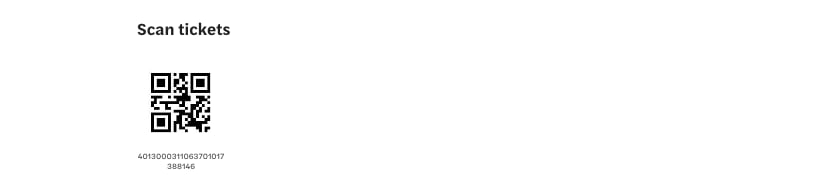
The same fields on the Headout voucher
heading is rendered as the section title, each ticket’s url as the code image and ticketCode beneath it. The response holds all three tickets; this voucher is MULTI_PAGE with one ticket per page, so the page above shows tickets[0] — its code 4013000000000000000000001 is the one printed under the QR.Partner details
null when the operator has not supplied any.
See it on a voucher
See it on a voucher

The same fields on the Headout voucher
vendorName and contactNumbers render under “Local partner details”; referenceNumbers as “Partner ref number”.Check-in button
checkinButton is null for most bookings, and always null for a cancelled booking. When present, checkinUrl is a URL the customer can visit to check in to the experience.
Disclaimer
Examples
Five complete responses for the booking shapes you will see most often, each followed by the voucher it generates. These are real responses captured from the sandbox — only the operator’s name, phone and reference numbers are masked, ticket URLs point at the CDN host, and the longest HTML fragments are trimmed with an inline marker.- QR-code tickets
- PDF tickets
- No tickets — the voucher is the pass
- Cancelled booking
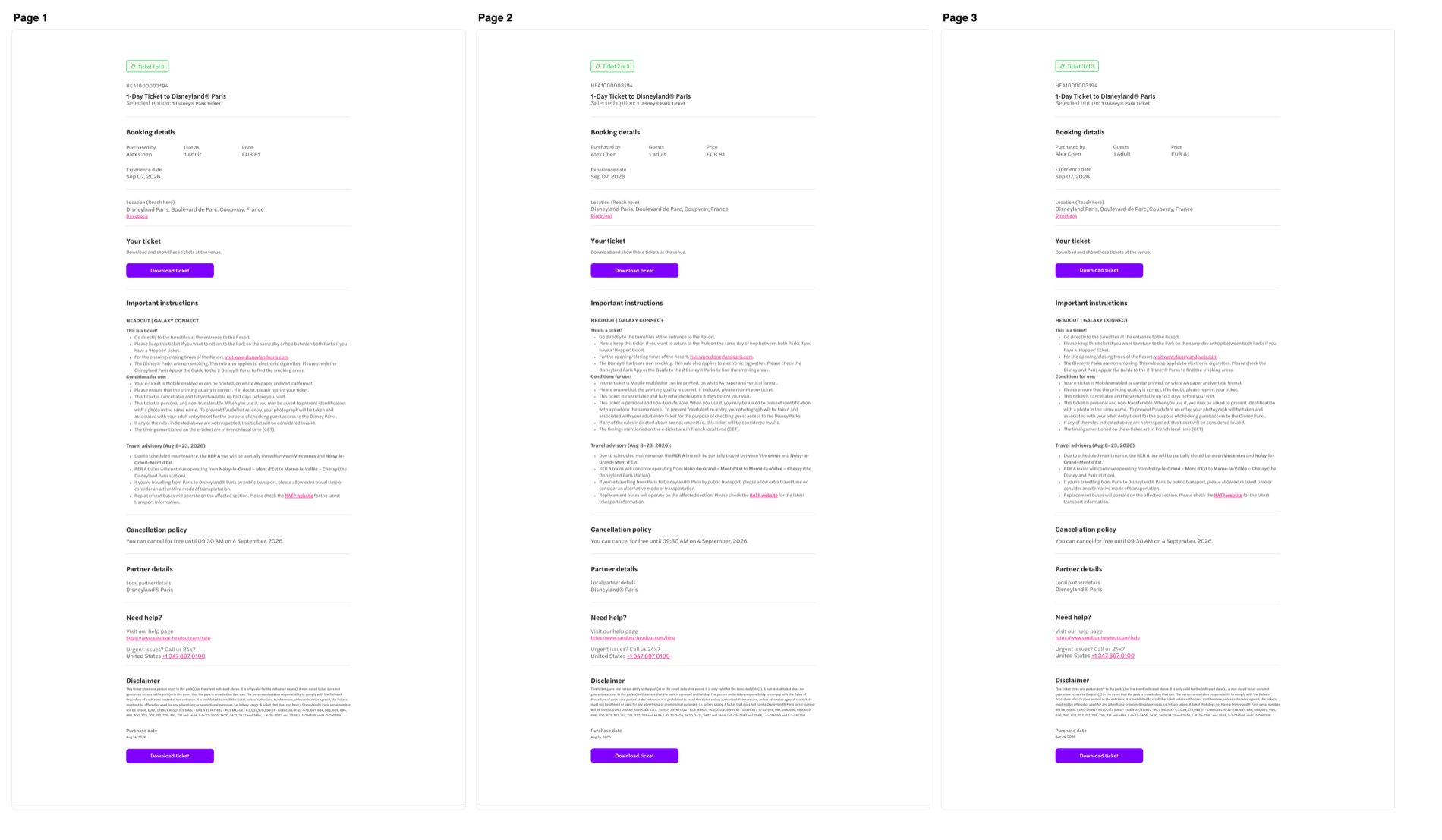
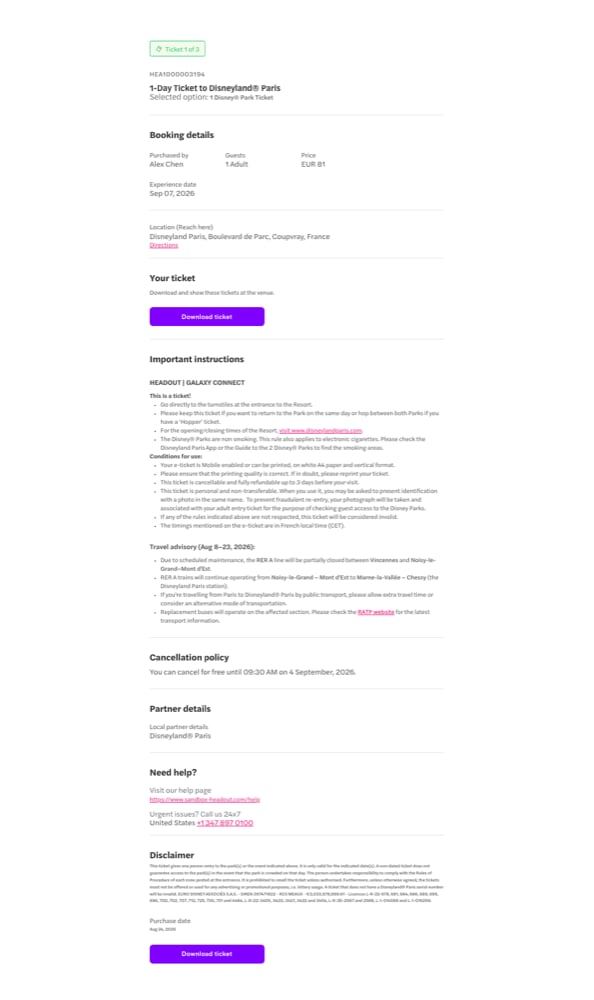
- Disney multi-page
An attraction entry with one QR code per guest — the most common ticketed shape. The guest scans each code at the gate.What to noticeThe voucher it generates
- Three guests, three tickets:
displayType: IMAGE, so eachurlis rendered as the code image with itsticketCodeprinted beneath.actionCtaisnull— it only accompaniesdisplayType: PDF. vendorLogoUrlisnull— render the header without a logo.instructions.structuredis set, solegacyisnull. The venue address arrives as oneSINGLE_ADDRESSgroup.
- Header — reference
30752272fromdisplayBookingId, the product and variant names, no logo. - Booking details — “1 Adult, 1 Youth, 1 Child”, the experience date, and a 12:30 entry with the venue open until 18:00 (
FIXED_START_FLEXIBLE_DURATION: entry is timed, guests stay as long as they like). - Scan tickets — the section heading from
heading, then three QR codes, each with its code text under it. - Where to go? — one address card for the ferry pier, with the map link, and the arrival prompt plus a late-arrival warning and photo-ID badge from
generalInstructions. - Policies — the
BOOKING_AMENDMENTentry rendered under a heading you supply.